

Sypher Technology, Inc. is a software development company in Louisville, Kentucky.
We turn business processes into simple web applications.

Bryan has been developing web sites and applications since the introduction of the World Wide Web in 1993. While studying electrical engineering and computer science at the University of Louisville, he helped create the J. B. Speed Scientific School's web site, the university's first public site. In 1996, he was also involved in the founding of the Speed School Student Linux Users Group (S+LUG).
In his career as a software engineer for Advanced Production Systems (APS, Inc.), Bryan was on the development team for four commercially-available software products: QMAPS™, Connections™, Connections Online®, and IGear®.

Cindy Siders graduated from the University of Louisville with a Bachelor of Science in Computer Engineering and Computer Science in 2001. Beginning as a co-op in 1999, she worked as a Software Engineer for four years for APS, Inc. Cindy's experience ranges from HMI development to Windows applications to Internet development. She has worked on the development of various data collection systems, material handling prototypes, diagnostic systems, and internet projects. She also has extensive experience in developing product documentation and help systems.
In her spare time, Cindy enjoys riding and competing with American Saddlebred show horses.

Chris joined the Sypher team in April of 2014. Prior to that, he was an English teacher in Japan for six and a half years. During that time, he used his skills as a developer to facilitate the sharing of resources and ideas between fellow English teachers. After realizing he would rather be coding than going to class, he moved back to the US to follow his passion as a developer.
He has a passion for traveling as well, but since he can't do that every day, he often is found gaming when he isn't developing or studying.

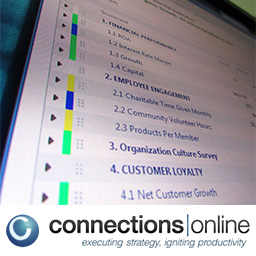
Sypher does all development, technical support, and hosting for Connections Online. From their web site:
Connections Online is a Software-as-a-Service company that helps clients succeed by improving organization-wide alignment and cross-functional collaboration.
Connections Online® was created by its parent company, Cardwell Group, a leadership development and strategy execution consulting firm.

Biztrackr simplifies paperwork and business tracking for financial advisors. Track everything about business and service items that go through your office – from paperwork requests to paid commissions.
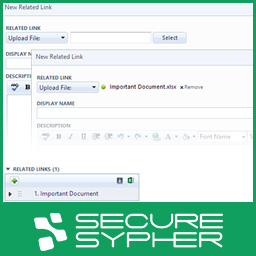
Secure Sypher is file storage for Connections Online. Instead of having related links that connect to internal network shares (bad security), internal web servers (troublesome upkeep), or big cloud storage providers (no integration), just upload your files from within Connections Online to our secure servers. File access is given based on Connections Online credentials.

In the Bluegrass Parkway Office Building with Balfour.
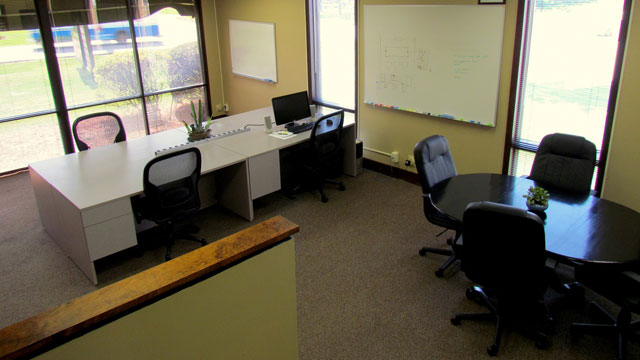
We are happy to share our quiet office space with others! Prices range from $20 for a day pass to $200 per month (including KY tax) for a dedicated desk. Come use our desks, wi-fi, kitchenette, hot & cold drinks, lockers, and small meeting areas. After-hours access available with Lockitron. Email us for details or to reserve your space.
Reserve Your Space